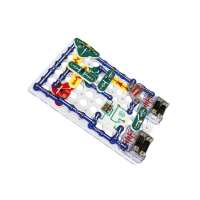
“Great for enrichment. Replacement parts very affordable and readily available. Follow the included instruction booklets in order to build a foundation in electronic circuitry, problem solving skills, and logic. Kept my child busy all summer, she loves it and still has it after 5 years! I bought a second one (this one) for my classroom, easy way to give hands on experience during science instruction.”
“the organizer box: great idea, poorly executed.Six pieces in the kit require such extreme care to remove from the very nice looking sturdy box, that the chance of breakage is too high for my comfort.The included sound chip that is supposed to records up to 8 seconds! only records up to 4 seconds!Box layout is not intuitive at all. Note to find the piece you want, have to find the piece in the box with matching LETTER and NUMBER code. Don't try to match by the color of the pieces in the instructions, that's not always accurate. On some pieces, the code is on the left, on some the middle, on some, the right. For some pieces you will need a flashlight because RED ink on a clear plastic background is difficult to read even with normal reading room lighting, unless light source shining directly into box.Pieces are arranges in no order that is intuitive *to a kid*. The pieces are lade by columns, and the first column is (let me get my flashlight), RP, then D1, A1, L1 (needed flashlight again), D2, L2 (flashlight), L3 (flashlight), then last is X1 (naturally). Then next column is C1 to C6, then R1 to R6, then S4. Wait, where's S3? That's in second section. B1 is in section 3, and B2 is in section 2. You get the idea.There are over 500 projects to build, which is great, and I get that the projects are arranged in an order to help kids learn about electronics, but let's say my kid build projects 1-594... and wanted to immediate skip to project 599. He cannot. Project 599 instructions are to modify project 598 in a certain way. Project 598 instructions tell you to modify project 597 by... 5... Project 597 says to start with 596....and 596 says start with 595. 595 has complete instructions.”