
Login
Start Free Trial Are you a business? Click Here

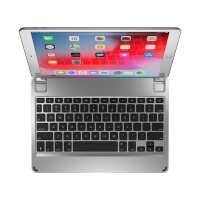
Brydge iPad Air 10.5 Series II Keyboard Silver Reviews

4 Rating 834 Reviews
Read Brydge Reviews

About Brydge:

We are the fastest growing tablet keyboard brand for the Apple iPad and Microsoft Surface. Alongside our award-winning keyboards, we offer a range of premium mobile and desktop accessories including Vertical Docking Stations for MacBooks and Surface Laptops, Docking Stations for Apple and Windows setups, Leather Organizers, Screen Protectors and Protective Cases.

Visit Product Page

Phone:

(435) 214-7485

Email:

support@brydge.com

Location:

1912 Sidewinder Drive,
Suite 104,
park city
Utah
84060

I recently purchased the rose gold keyboard for my new iPad pro and absolutely LOVE it! I had a different brand of keyboard for my previous iPad that was fine but this one is better. I love that it truly looks and acts like a laptop. It sits on your lap without falling over and looks beautiful too! I would highly recommend this product.
Helpful Report
Posted 7 years ago
Great!
Helpful Report
Posted 7 years ago
good
Helpful Report
Posted 7 years ago
Purchased the rose colored keyboard for my daughter for Christmas and she loves it! She said it makes a huge difference doing work on her iPad......snaps right on and is a great fit. I also had to call Brydge before I purchased the keyboard and their customer service is awesome....answered all my questions! Thank you.
Helpful Report
Posted 7 years ago
AMAZING
Helpful Report
Posted 7 years ago
I had high hopes for the Series II for my 10.5 iPad Pro. it takes 5 to 6 (or more) key presses to activate the keyboard from sleep. I have a cheap bluetooth keyboard that responds quickly to 1 keypress. The Bridge should do better.
Helpful Report
Posted 7 years ago
I purchased the Brydge wireless keyboard for a Christmas gift. It works flawlessly
Helpful Report
Posted 7 years ago
Typing on this keyboard is pretty decent. Spaces between keys are comfortable. However, when I received this product late, the keyboard was sticky. I was reassured it was a new product, but let’s face it- no way for me to verify this and there were smudges on the pad. Also, when pairing- my iPad Pro doesn’t recognize the device as having been paired. It creates a new brydge device on the screen. Lastly, because you have to insert the iPad down a certain way, accessing the settings screen via swiping up is almost impossible. You have to press the home button and then access the settings via icons instead of quick access via swiping up. I noticed some pixelation changes on the bottom edges where the iPad is inserted. I tried making the gap bigger, but it’s harder than it sounds.
Helpful Report
Posted 7 years ago

