
Login
Start Free Trial Are you a business? Click Here

Beginner's Guide to Cricut Design Space Reviews

4.7 Rating 26 Reviews
Read ClassBento UK Reviews

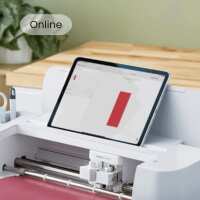
Discover everything you need to know about using the Design Space app with any Cricut machine! This is a great way to grow your confidence as you learn to use your machine, and it’s sure to show you lots of great ways you can use the technology to craft unique, custom projects.

This is the perfect demonstration for someone who is completely new to world of Cricut, as well as anyone who’s struggled to get to grips with Design Space in the past. The Hobbycraft Artisan will give you a general overview of the technology and explain exactly how you can start using it with your Cricut machine – from finding fonts or images to creating your designs.

After the demonstration is over, you’ll come away as a confident Cricut pro, ready to start on your next project!

You’ll be sent a follow-up video afterwards to guide you in your own time. 

Keeping everyone safe
At Hobbycraft, we want our workshops to be enjoyable, inclusive, and safe for everyone. Some workshops are suitable for children, and where this is the case, a parent or legal guardian is responsible for supervising their child at all times unless the workshop is clearly stated as suitable for independent attendance. Our colleagues and instructors are there to guide the activity and support a safe environment, and if any concerns about safety or wellbeing arise during a workshop, these should be raised with a member of staff straight away.

Visit Product Page
Frances Hodgson
Verified Reviewer
I found the class really good. There was functions that I did not realise that you could do so much with. Knowledge teacher.
Helpful Report
Posted 3 months ago
Nicky Anderson
Verified Reviewer
Chrissie was very friendly, thorough and reassuring. Although it was a lot to take in, I now feel I know what is possible and will have the replay to revisit details. It's also great to know that Chrissie is happy for us to contact her if we have queries. Thank you.
Helpful Report
Posted 3 months ago
Angela Saunders
Verified Reviewer
Chrissie was great! I feel like I finally understand design space!
Helpful Report
Posted 4 months ago
Crissie explained really well - it was unfortunate that I was on my laptop so couldn't play with design space at the same time. Lots for me to think about now.
Helpful Report
Posted 4 months ago
Jo Woodbridge
Verified Reviewer
Enjoyable and very helpful class. Chrissie is a great teacher and covered everything thoroughly. It’s a shame there isn’t an ‘intermediate’ class. Highly recommend this class though to anyone new to Design Space. ‘
Helpful Report
Posted 4 months ago
Jackie Savage
Verified Reviewer
Just done my first on-line tutorial using Zoom! The artisan Chrissie was great and wanted everyone to feel relaxed and comfortable. Her knowledge of Design Space was outstanding and she guided us with skill throughout the session. Many thanks Chrissie!
Helpful Report
Posted 5 months ago
Great thankyou. Very informative.
Helpful Report
Posted 5 months ago
Julie Donnelly
Verified Reviewer
Nice teacher. Articulate and pleasant. I’ve learned a bit. I feel 1 hour is not enough to cover everything you need to know.
Helpful Report
Posted 5 months ago
