

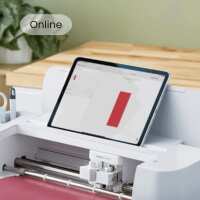
Discover everything you need to know about using the Design Space app with any Cricut machine! This is a great way to grow your confidence as you learn to use your machine, and it’s sure to show you lots of great ways you can use the technology to craft unique, custom projects.
This is the perfect demonstration for someone who is completely new to world of Cricut, as well as anyone who’s struggled to get to grips with Design Space in the past. The Hobbycraft Artisan will give you a general overview of the technology and explain exactly how you can start using it with your Cricut machine – from finding fonts or images to creating your designs.
After the demonstration is over, you’ll come away as a confident Cricut pro, ready to start on your next project!
You’ll be sent a follow-up video afterwards to guide you in your own time.
Keeping everyone safe
At Hobbycraft, we want our workshops to be enjoyable, inclusive, and safe for everyone. Some workshops are suitable for children, and where this is the case, a parent or legal guardian is responsible for supervising their child at all times unless the workshop is clearly stated as suitable for independent attendance. Our colleagues and instructors are there to guide the activity and support a safe environment, and if any concerns about safety or wellbeing arise during a workshop, these should be raised with a member of staff straight away.


