
Login
Start Free Trial Are you a business? Click Here

Beginner's Guide to Cricut Design Space Reviews

4.7 Rating 26 Reviews
Read ClassBento UK Reviews

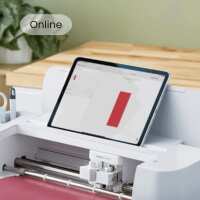
Discover everything you need to know about using the Design Space app with any Cricut machine! This is a great way to grow your confidence as you learn to use your machine, and it’s sure to show you lots of great ways you can use the technology to craft unique, custom projects.

This is the perfect demonstration for someone who is completely new to world of Cricut, as well as anyone who’s struggled to get to grips with Design Space in the past. The Hobbycraft Artisan will give you a general overview of the technology and explain exactly how you can start using it with your Cricut machine – from finding fonts or images to creating your designs.

After the demonstration is over, you’ll come away as a confident Cricut pro, ready to start on your next project!

You’ll be sent a follow-up video afterwards to guide you in your own time. 

Keeping everyone safe
At Hobbycraft, we want our workshops to be enjoyable, inclusive, and safe for everyone. Some workshops are suitable for children, and where this is the case, a parent or legal guardian is responsible for supervising their child at all times unless the workshop is clearly stated as suitable for independent attendance. Our colleagues and instructors are there to guide the activity and support a safe environment, and if any concerns about safety or wellbeing arise during a workshop, these should be raised with a member of staff straight away.

Visit Product Page
"\"Chris Searston\""
Verified Reviewer
Sat in front of zoom on computer, couldn't log in. Went to phone message with link had to stay on phone, screen to small! Beginning wasted asking about what machines people had, so ran out of time. General content good.
Helpful Report
Posted 5 months ago
Anne Forster
Verified Reviewer
Very informative. A lot of information to take in if you’ve never used a design space before. Would recommend doing more detailed courses on your area of interest as this was an overview of the basics. Hannah was very nice and obviously comfortable with design space and happily answered questions at the end.
Helpful Report
Posted 6 months ago
Sarah Wannell
Verified Reviewer
Great. Explained everything clearly. I think i learnt a lot from the class. Just need to put it into practice now.
Helpful Report
Posted 7 months ago
Ayesha Amaka
Verified Reviewer
Teacher was good and showed all the important functions and also shared mistakes they have done in the past which is great as helps us to avoid them. Gave demonstration and left us more confident
Helpful Report
Posted 8 months ago
Colette Edie
Verified Reviewer
The class was very helpful as I’m completely new to Cricut . The teacher was very friendly and gave some good tips and explanations. It has given me a start to want to know more
Helpful Report
Posted 8 months ago
Dilrukshi Abeysekara
Verified Reviewer
I am just starting to getting to know about my new cricut maker 4 machine. Got to know many things from today's online session with Hannah. I am very happy the way she presented the session with demonstrations. Thank you very much Hannah.
Helpful Report
Posted 9 months ago
Lorraine Bennett
Verified Reviewer
Hannah was very informative and friendly. An hour is not enough to cover the basics though.
Helpful Report
Posted 9 months ago
Victoria Williams
Verified Reviewer
A very good overview of design space. Learnt a lot about the features to create projects.
Helpful Report
Posted 10 months ago
