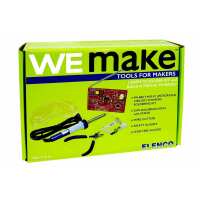
“My nine year old son had a blast building this! With a few pointers and background education from my engineer husband, my son was able to do most steps completely on his own!”
“I recently bought this kit to learn to solder and hopefully make something that I can use. And I have achieved both!!! I just finished the kit and can't wait to write and tell everyone! However I'm sad to see the only other review is negative. I want to say that they probably have improved the manual so that it's more clear now. I haven't encountered any ambiguous instructions or difficult soldering tasks. I'm a complete beginner, haven't even touched a solder before this...Few tips for people who are interested: 1. the solder takes about 2 min to warm up. In the beginning, I was unplugging it between pieces because I was afraid. It ends up taking a long time to warm it up. After a few uses, the tip has some burned stuff on it, you need to clean the tip in order to keep using. There are many videos on youtube telling you how to clean, I end up just scraping the burned stuff off with the wire cutter... 2. during the first testing, I didn't hear clicks. I was very worried. But then I saw a list of things to check in the manual, turns out the U2 top part wasn't completely snapped in. That solved my problem. 3. when installing L2 (the 4 turn coil), the manual says to use a spacer, I just used my hands and it worked fine. 4. the unit D1 is in a separate bag in the box. Make sure that you read the label on every bag before you begin. 5. i did watch a video about how to snap the 9V battery in place. it shouldn't take much force if you are doing it right.I had a lot of fun putting this together. Took me about 6 hours total. Hope you will enjoy it too!”
“At first glance, this is an extremely promising kit: You get to learn soldering skills, and at the end you have a working radio. At least, that's the theory. Sadly, a combination of extremely poor design and quality control coupled with terrible documentation and an assumption that you already have electronics knowledge but yet somehow never learned to solder conspire to sink what could have been a great product.So what's wrong with the design? First of all, for a board aimed at total beginners, the traces and solder points are poorly positioned. For example, if you follow the instructions to the letter, you'll be told to solder the battery holder in place just a millimeter or so from no less than seven different solder points, most of which won't actually be soldered until the battery compartment is already fixed in place. Good luck not melting any of that plastic when you're supposed to be working so close to it.For another, you're expected to cut a tab off the varistor to get it to fit -- when Elenco could easily have just added one more hole to the PCB so that it fit properly in the first place. And then there are the numerous solder points which are separated from each other by just 2-3mm, when Elenco could easily have made the PCB just fractionally larger and given newbies a somewhat more forgiving first project.But by far the worst of all is the reliance on a digital tuner instead of an analog one. With an analog tuner, you could simply spin a varistor to tune the station you're looking for. Frequencies out of whack? That would be obvious and easily corrected. But no, you have a digital tuner which can only tune in one direction, and which has to be reset back to its starting point if you want to go in the other direction even slightly.Add in the fact that a coil is included in the kit which you are supposed to open up yourself to a specified dimension -- which, I might add, I measured with extremely accurate digital calipers to be sure I got it right -- and that the spacing of this coil determines whether or not you're actually tuned to the FM frequency range, and you have a recipe for disastrous conclusions.After spending a good while building everything -- and having quadruple-checked every component's placement and orientation, as well as ensuring that there are no shorts between separate traces -- I have made a radio which can do nothing more than play static. There's literally no way to tell whether my frequencies are too high or low, and since the useless digital tuner seems to treat every single static-filled frequency as a station, all you can do is press the frequency adjustment button dozens or hundreds of times with no clue whether you're even going in the right direction or the wrong one, hoping against hope for even the tiniest trace of something which *isn't* static. I never got one.And then there's the documentation, which goes into spectacular depth about how FM radio itself works, but then omits to even mention basics that a newbie might not know, such as which symbol in the schematics is used for which component type, what each component does and how it is used, or even whether many components have a polarity and need to be placed in a particular direction. Nor are you even told how the pins on the two ICs (one pre-soldered) are numbered, although this can at least be guessed by the educated user from the fact that two pins are numbered on the PCB. Thankfully I knew all of this already; many potential users won't.And once your creation is complete, the manual provides absolutely zero useful information about how to troubleshoot it if it doesn't work first time. You're told to check a handful of connections and components (mine tested fine), and given a list of voltages for the one presoldered chip on the board -- but you're not told for a single one of these which pins you're expected to test the voltage across. With absolutely zero guidance, I simply had to guess that I was supposed to check the voltage from the numbered pin to the negative terminal on the battery. I still have no idea if that's right; some of my voltages seemed to match, but others weren't even close. And once you've checked those voltages, there's not a single word in the documentation about what they mean, and what to check if they're incorrect.What the manual does do is to suggest that you add two components if sound is not clear. For one, there's not a single word as to what it does. That's not a problem though, as I couldn't add it anyway. It wasn't included in its position on the card with all the other components, and from the fact that the card was unmarked in its position, where every other component had left a slight dimple on the card, it was clearly not there when this kit left the factory. (That's the poor quality control I was referring to: I simply didn't receive all the parts I was supposed to in this sealed box.) For the other component, you are at least told that it will increase the gain”